Top 10 Reading Apps for Kids

Top 10 Reading Apps for Kids


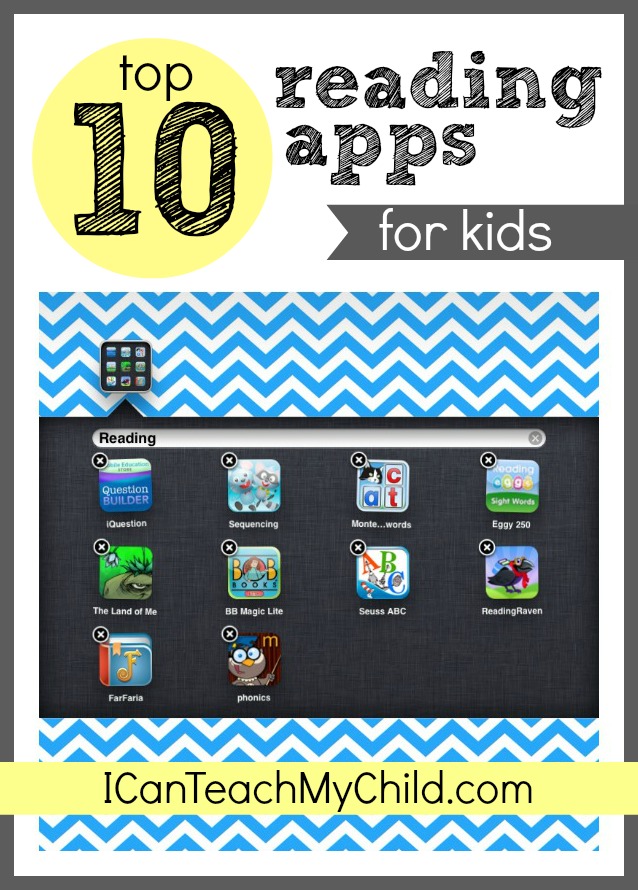
Summer is nearly here!  As parents, we all worry that much of the learning that has taken place over the last year will somehow dwindle during the long, lazy summer days.  Aside from creating meaningful hands-on learning experiences for your child, you can also encourage a child to keep up their skills using technology during down time!  I’ve compiled a list of my top 10 Reading Apps for Kids, broken down into four sections:  Phonics and Decoding, Comprehension, Sight Words, and Readable Books.


Most of these apps are appropriate for beginning readers (or those learning how to read), but a few are still applicable for proficient readers as well (especially the apps focusing on comprehension).


Oh, and by the way…this isn’t an app, but it is a great time to tell you about my eBook titled I Can Teach My Child to Read.  Chances are if you are looking for reading apps for your kids, you may also be trying to teach him/her how to read!  Consider this my shameless plug!  :)


Okay, back to the apps:  I have only included apps for Apple products, not because I am intentionally trying to leave Android or Kindle users out in the cold…but simply because they are the only apps that I personally have experience with and therefore the only ones that I feel I can honestly endorse.  If you have a Kindle Fire or Android tablet or smart phone, you can always search for the apps listed below for your platform.  They are often identical to the Apple versions.  I am sorry in advance for any inconvenience this may cause you.


This post is not sponsored in any way (although it does include my affiliate links).  I bought each app with my own money and all opinions are based on my personal experience with each app.  I have spent many hours (and more money than I typically spend on apps in an entire year) trying to find the best reading apps for young readers.  I hope that you find this list to be beneficial to you and your family!


Apps that target Phonics and Decoding


Reading Raven (compatible with iPhone and iPad- $2.99, or get the HD iPad version here- $3.99)

IMG_0199

I really love this app.  It is totally customizable for the age and ability of your child from 3 years only (and letter/sound correspondence) to 5+ years and decoding.  On the five-year old section, your child can record his/her voice while decoding a simple 3-letter word.  Next, they trace all of the letters in the word as well, which reinforces letter formation.  Finally, a child can record him/herself reading a simple sentence!  If you buy one app off this list, this should be it.


Montessori Crosswords (designed for both iPhone and iPad- $2.99)

IMG_0185

This app is great for teaching letter SOUNDS (which is WAY more important than learning their names).  It also adds a cognitive component of mini-crossword puzzles as well as consonant blends and digraphs (although they aren’t labeled as such).  This app is completely customizable and includes a special section for parents.  I was initially hesitant about the crossword component of this app (because I don’t want to confuse a child that he/she could be reading a word up –> down instead of left –> right), but this doesn’t seem to be a problem.


Marbleminds Phonics (designed for both iPhone and iPad- $2.99)

IMG_0200

Marbleminds Phonics is a relatively simple app that encourages phonics skills while also rewarding the user with marbles for completing the tasks.  This app includes a memory game, an onset game (where a child has to choose the sound/letter that goes at the beginning of the picture represented), and a “sounds like” section where a sound is spoken aloud and the child must choose the corresponding letter.  I was a little disappointed that this app didn’t include a rhyming component or any word families.


Apps that Target Comprehension Strategies:


Question Builder (iPad only- $5.99)

Appropriate for children who are already reading, this app helps a child develop critical thinking skills and comprehension.  It also encourages abstract thinking and inferring, a difficult skill to reinforce at such a young age.  There are two main issues with this app that almost made me not recommend it:  (a) It is pretty pricey and might be the most expensive app I have purchased, and (b) your child must be a relatively proficient reader because he/she has to read the “answers” him/herself.  I wish there was an option to have the answers to the questions read by the app itself.  It is one of the only apps I have found that focuses on inferring and abstract thinking, so it managed to make it on the list despite its shortcomings.


Speech with Milo:  Sequencing (Designed for both iPhone and iPad-$2.99)

Sequencing, or being able to recall the events of a story in order, is an important component of reading comprehension and cognitive development.  This app is a sequencing game, appropriate for Pre-K through 1st grade.  Your child will put a series of pictures in order.  Once they have been placed in order correctly, your child can then watch a very short animation watching the sequence uninterrupted.  This app is also widely used by Speech Pathologists as they work with children who are receiving speech services.  The only downfall to this app is that some of the scenarios (like hitting a baseball, for example) require real-world experience to understand the sequence.


The Land of Me - Story Time (iPad only-$2.99)

IMG_0197

This app, created in the UK, lets your child create their own story by choosing one of three heroes, story lines, and endings (happy, sad, or funny).  Our boys are fascinated with this app and love making different stories with their very own selections.  The stories themselves are very short and simple (which is one of the only negatives), but I love it because it shows children how easy it is to make up a story…and I happen to adore the British accent.  :)


Apps that Target Sight Word Recognition


Reading Eggs Sight Words (iPad only or get the version compatible with iPhones and iPod Touch here-$2.99)

Unlike most sight word apps, this one goes beyond the basic flashcard method and makes learning sight words a little bit more interactive and fun.  There are three levels based upon a child’s ability (turtle, chicken, and penguin levels…according to the size of their eggs).  A sight word is shown (and said aloud) and the child must then crack the egg with the same word on it (by touching it).  Other random words, animals, and objects also fly through the air and will be splatted if you touch them and they aren’t the selected sight word.  Not sure you want to purchase this app? Try the free version first.


Readable Books:

Dr. Seuss’s ABC’s

This is basically an electronic version of the beloved classic by Dr. Seuss.  There are three variations to this app:  Read to Me, Read by Myself, or Auto Play.  There is also a voice recording option where your child can read it aloud and record his/her voice (or a parent can record also).  There are several other Dr. Seuss books available as apps:  Mr. Brown Can Moo Can You?, Yertle the Turtle, and And to Think I Saw it on Mulberry Street.  There is also a collection of 5 stories (including The Cat in the Hat, One Fish Two Fish Red Fish Blue Fish, The FOOT Book, Mr. Brown Can Moo! Can You? and Fox In Socks) all in one app for $14.99.


BOB Books ($3.99 for the iPad or $1.99 for iPhone/iPod Touch)

IMG_0205

BOB books are famously popular with parents of beginning readers.  I personally have a love/not-so-much love relationship with the BOB books brand (as I’ve shared before).  I think they can be very beneficial for helping children learn to decode, but the illustrations in the paper books are pretty boring.  The app adds a bit more interaction, which makes it more appealing (in my humble opinion).  You can get the lite version for free to try it out before you pay the full price for the app.  You can also buy Bob Books #2 (HD for the iPad or for the iPhone/iPod Touch)


Subscription-Based Programs:  Farfaria ($3.99/month) or Reading Rainbow ($9.99/ month or $29.99/6 months)

Farfaria is basically like a digital library of books.  The app is free to download and you can get a trial that allows you to read 1 book per day for free, but beyond that you will have to subscribe (similar to a service like Netflix but for eBooks).  There seems to be a fairly decent amount of books available, although I didn’t see very many familiar book titles.  You can also choose books based on your child’s reading level.  The app allows the book to be read aloud, auto play, or for your child to read it to him/herself.

Reading Rainbow has a similar subscription service, although it is quite a bit more expensive ($9.99 per month as opposed to $3.99 per month).  You can receive a significant discount if you prepay for 6 months ($29.99).  This service has over 200 books, narrated by the infamous Lamar, with new books being added weekly.


Free Apps:

Read Me Stories:  This FREE app features a new book every day!

iDiary for Kids Lite:  Although this isn’t technically a “reading” app, reading and writing go hand-in-hand and this is a great diary option for young writers.

Sight Words List

Sight Words

Phonics Genius

Reading Eggs Sight Words (free version):  Similar to the Paid Version, but with some restrictions

BOB Books #1 (free version)


Honorable Mentions (from my Facebook friends):

Monkey Word School Adventure ($1.99)

Meet the Sight Words ($0.99)

Starfall Learn to Read ($2.99)

WordWorld ($1.99)


Be sure and check out my favorite apps for preschoolers and toddlers as well!

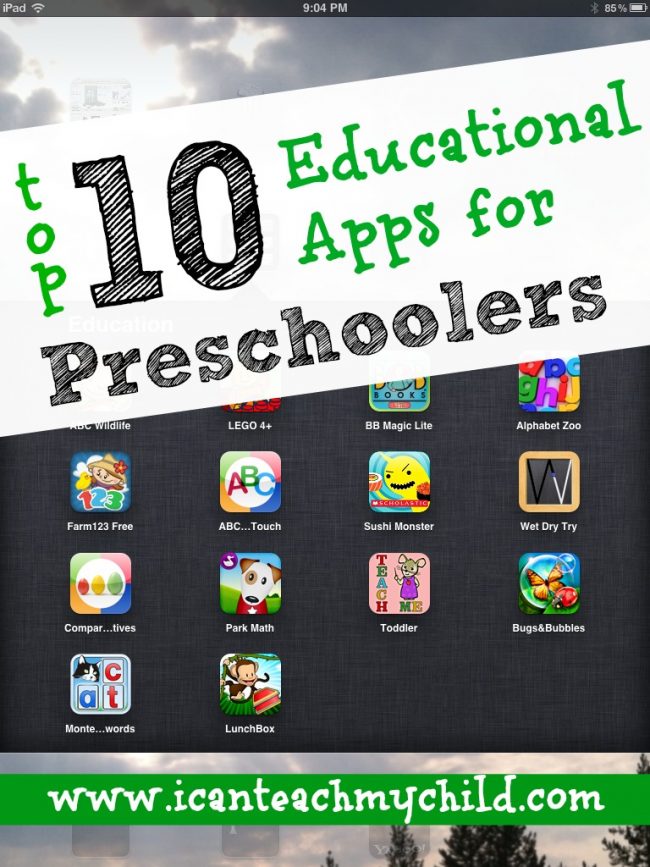
Top-10-Educational-Apps-for-Preschoolers-300x400                            


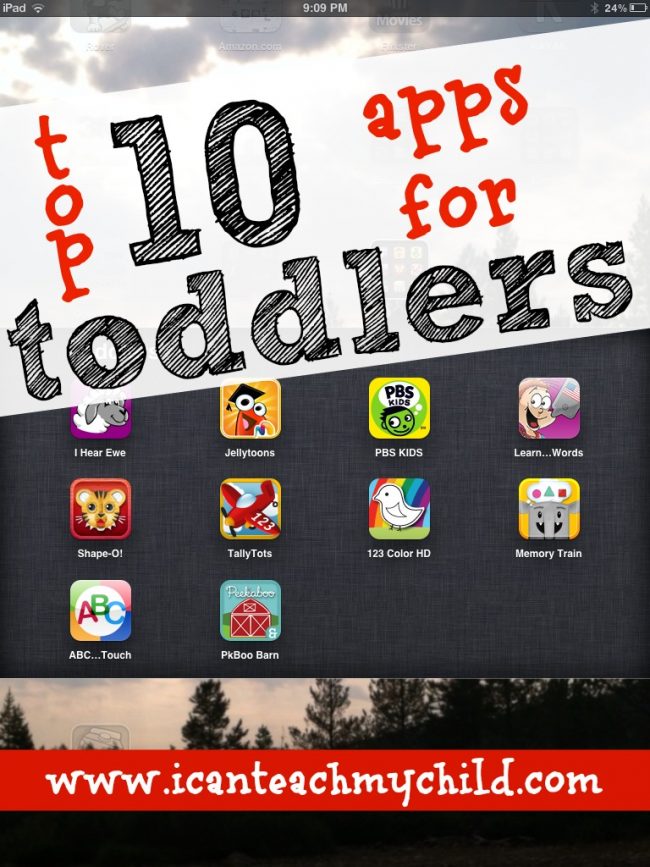
Top-10-Apps-for-Toddlers

A FINAL WORD:  Please remember that iPhones and iPads are just like computers–meaning that you must be vigilant about ensuring your child isn’t exposed to any inappropriate content.  SecureMama shares a step-by-step guide for ways to secure your iPhone or iPad.   Read and implement these suggestions!  


*Please note:  Some of the links in this post may be affiliate links.  Go here to read my full disclosure.

  • Share This Post:
  • Share This Post on Facebook
  • Share this Post on Twitter
  • Email this Post

Top 10 Apps for Toddlers


In my post on Apps for Preschoolers, I admitted that I have really fought against my kids using the iPad/iPhone.  I finally conceded for a variety of reasons, but mostly because I want to use technology as a tool for helping my kids learn (within reason and with time limitations, of course).  I had several people ask if I would share apps for kids of other ages (besides preschool), so I thought I would start with the only other age of child I have–a toddler!  I have compiled our top 10 apps for toddlers below.  Seven of the apps you must purchase and three of the apps are free!

Although I am sharing with you these apps that I have found beneficial, I want you to remind you to exercise extreme moderation with how much time you let your child sit behind any screen.  Hands-on, creative learning will ALWAYS trump electronic learning (in my opinion anyway).  I encourage you to use these apps as a tool for no more than a few minutes at a time.


Paid Apps

1.  Peekaboo Barn (Compatible with iPhone, iPod touch, and iPad–$1.99)

This is a very simple app for young toddlers than introduces a child to animal names using a peek-a-boo format in a barn (hence the name).  The animal name is said by the most adorable toddler voice.  The animal does make a sound right before its name is said, but it is much softer than the name so it is difficult to hear.

2.  Signing Time ASL (Compatible with iPhone, iPod touch, and iPad–$4.99)

We taught both of our boys sign language, starting when they were about 9 months old, and I personally think it makes a big difference for a child’s language development.  We checked out a few of the Baby Signing Time DVDs occasionally from the library when our boys were little (before iPads/iPhones) and this is the same company who created this app.  The app includes 48 words and their corresponding signs.


3.  Learn to Talk (Designed for both iPhone and iPad–$1.99)

This app would be appropriate for very young toddlers who are just learning to talk.  The app includes several commonly said words or phrases along with a picture illustration for each word/phrase.  If your child has any language delays, this might also be a helpful app.  It is relatively simple and not overstimulating.


4.  Shape-O ABC’s for the iPad ($1.99) and Shape-O ABC’s for the iPhone ($1.99)

This app is lots of fun.  It comes with several templates for various “puzzles”.  Your child slides the individual pieces to complete the puzzle.  There are also letter tiles at the bottom of each puzzle that spell the object (which is obviously too mature for toddlers, but would be great for preschoolers as well).  This is one of my 2-year old son’s favorite apps.


5.  TallyTots (iPad only–$0.99)

This app is super cute and is great for one-to-one correspondence and number recognition (which is developmentally appropriate for older toddlers and preschoolers).  For every number, there is a different task.  On Number 1, the child has to turn on ONE lightbulb (by holding it down).  Other tasks include:  blowing bubbles, watering the flowers, watching the mice run, etc.  I definitely think this app is worth 99 cents!


6.  Memory Train (Designed for both iPhone and iPad–$1.99)

This is an excellent app for visual discrimination!  The child must watch as the train passes by a certain object and then a few seconds later recall the color, face, etc. by choosing between three options.  As the child gets more correct answers, the train speeds up and the recall images get a bit more complex.  This just might be my favorite app on the list!


7.  123 Color (Designed for both iPhone and iPad–$0.99)

This app is basically a digital coloring book.  Children can choose the image that they would like to color and then select the colors.  The app tells the child the color name whenever they switch colors.  It also includes other options such as alphabet and number practice.  Overall, a fun app that is much tidier than a coloring book and markers (although those are still important to play with as well)!  :)


Free Apps

8.  Jellytoon’s Toddler Skills:  Bobo’s Birthday Challenge (Compatible with iPhone, iPod touch, and iPad)

This app starts off with a cute little intro on Bobo’s birthday , however if you accidentally close the app, you must go through the whole 15-second intro again…a little irritating, but nothing to get too worked up about.  Each of Bobo’s friends have their own games, some that incorporate fine motor control, some one-to-one correspondence and number recognition, and still others that  require sorting and visual discrimination.  Overall, a great app!  I would definitely download this app while it is currently free!


9.  I Hear Ewe (Designed for both iPhone and iPad)

This app is basically a library of different animals and modes of transportation.  When the child clicks on an individual animal/car, it makes the corresponding sound.  I believe there is a strong correlation between animal sounds and the language development of young toddlers, which would make this app an obvious choice for parents of toddlers!


10.  Photo Touch ABC (Designed for both iPhone and iPad)

At first glance, this app is pretty basic.  The app tells the child to touch a certain letter and praises him/her when doing so.  If you go into the settings, however, you can turn on the entire library of options:  uppercase letters, lowercase letters, animals, etc. to grow with your child.  This app is good for introducing letter names to your toddler.


A FINAL WORD:  Please remember that iPhones and iPads are just like computers–meaning that you must be vigilant about ensuring your child isn’t exposed to any inappropriate content.  SecureMama shares a step-by-step guide for ways to secure your iPhone or iPad.   Read and implement these suggestions!  


What is your favorite app for toddlers???


*Please note:  The links in this post are my affiliate links.  Please read my full disclosure policy.


  • Share This Post:
  • Share This Post on Facebook
  • Share this Post on Twitter
  • Email this Post

Top 10 Educational Apps for Preschoolers

I’m a firm believer in real-life, hands-on experiences to help young children grow and learn…So much so that I have really fought against this whole “kids using iPods/iPads” thing.  But I’m giving in–mostly because I know that this is the way of the future and refusing to let my children “indulge” makes them want it even more, to the point where they are obsessive when/if they do get to play.  Rather than mindless video-game playing (i.e. Angry Birds, which they’ll still get to play on occasion), I want to harness this technology as a tool for teaching and learning.  After hours upon hours of reading reviews and testing more than a dozen apps, I compiled a list of  10 of our favorite iPhone/iPad educational Apps for preschoolers!

I have included 6 favorites that must purchased and 4 that are currently free.  Please note, however, that a few of the free apps only have parts of the app available for free.


6 Best Paid Apps for Preschoolers:

1. Montessori Crosswords (designed for iPad and iPhone–$2.99)

This is one of my favorites, probably because it is a great tool for teaching reading (or the phonetic component of reading, anyway).  Teaching a child to read is one of my favorite things in the entire world!  This app is great for teaching letter SOUNDS (which is WAY more important than learning their names).  It also adds a cognitive component of mini-crossword puzzles as well as consonant blends.  This app is completely customizable and includes a special section for parents.


2.  Handwriting without Tears:  Wet, Dry, Try Capital Letters and Numbers (iPad 2 and newer only–$4.99)

If you are familiar with the Handwriting Without Tears curriculum, you will appreciate this app!  It is an electronic version of the Wet-Dry-Try activity that is a core component in this curriculum.  It teaches children to form letters from the top down.  Although using this app is quite different from holding a pencil and writing (unless you have your child use a stylus), it at least allows children to learn how to correctly form a capital letter (and numbers).  My only complaint about this app (besides the fact that it is ridiculously expensive and only includes capital letter formation) is that it can be frustrating for younger children.  Little Brother attempted it and he obviously did not have the fine motor control necessary, so it would make him start over again and again.  I would suggest this app for children who are 4+.  It is perfect for Big Brother and keeps me from harping on him all the time to begin writing his capital letters from the top down!


3.  TeachMe Toddler (Compatible on iPhone, iPod Touch, and iPad–$0.99)

This all-in-one app works on letters, numbers, shapes, and colors (which I think is great for young preschoolers/older toddlers).  If you have a preschooler who is ready for more of a challenge, the Teach Me Kindergarten App ($1.99) would be a great step up!  The Kindergarten app includes addition, subtraction, spelling, and sight words!  Each child has their own log-in and you can track their progress.  The interface is pretty simple, which I personally prefer for my children–some other “busy” apps can be overstimulating.  This app can be a little drab if playing it for a while, but it is still something I would recommend.

4.  Monkey Preschool Lunchbox (designed for both iPod and iPad–$0.99)

This is the most popular preschool app available, with good reason!  At 99 cents, it offers a lot of bang for its buck!  The puzzle feature (below) is great for incorporating visual/spatial awareness while you’re on the go (without losing a million puzzle pieces in the process).  It also includes sorting, shape recognition, and color recognition…just to name a few.


5.  Park Math – Duck Duck Moose (compatible with iPad, iPod touch, and iPhone–$1.99)

This app provides valuable content and is engaging to young children.  The bear on the roller skates strolls from task to task, including sorting from smallest to largest, patterning, number recognition, counting, and addition.  The graphics won’t wow you, but they’ll keep your child entertained while learning.


6.  Bugs and Bubbles (Designed for both iPod and iPad–$2.99)

This app, along with its companion app (Bugs and Buttons–same price), are the most beautiful children’s apps I have seen!  The graphics are incredible!  This app, in my opinion, is the perfect blend of fun and learning.  Some of the tasks are solely for fun (popping bubbles) while others include important early-learning tasks such as patterning, letter matching, letter writing, and shape recognition.  I also really like that every game starts at the easiest level and as the child masters it, it goes to harder levels.


The Best FREE Apps for Preschoolers:

7.   PBS Kids Video:  Although this is less of an app and more of a portable movie player, it is still nice to have!  Watch more than 1,000 videos from your favorite PBS Kids shows anytime, anywhere (with Wi-Fi) in the US!  Great for doctor’s appointments and airplane rides (just don’t forget the headphones).


8.  Farm 123 Free – StoryToys Junior:

This interactive pop-up book allows your little one to count, but won’t let him/her recount an object that has already been counted, therefore helping to increase a child’s one-to-one correspondence ability.  Some of the games are locked until you purchase the app, but the book portion alone is worth downloading.


9.  Little Writer – The Tracing App for Kids

If you don’t want to pay for the Handwriting Without Tears App, this is a great (and FREE) alternative that helps your child learn how to form their letters in a fun and interactive way.  Like the HWT app, it would be even better if you had your child use a stylus.  I also really like this one because it includes lowercase letters as well (unlike the Handwriting without Tears app).


10.  Rover – The Browser for Education

Many of you shared on Facebook that you loved the Starfall Apps.  But when I read the reviews, there seemed to be a lot of negative comments about how expensive the App was for ONE game (out of dozens) that are free on the Starfall website (that can’t be used on iPads/iPhones due to no flash players).  Rather than paying for a Starfall app, I followed the recommendation from Ashley of Life with Moore Babies and downloaded Rover–which makes websites with flash players (like Starfall) accessible and usable!


A Few Runner-Ups

Free:

Alphabet Zoo:  This simple flashcard-like app goes through every letter of the alphabet, saying the letter name, its sound, and an object that corresponds to it.

Phone for Kids

Agnitus Learning Games

Timmy’s Kindergarten Adventure (free version)

ABC Alphabet Phonics


Paid:  I didn’t purchase these apps and try them out, but they came recommended by readers on my Facebook page.

LetterSchool ($2.99)

Montessori Numberland ($4.99)

BOB Books ($1.99)

ABC Wildlife ($2.99):  We downloaded this one when it was free about a month ago.  I REALLY like it and would recommend it. Each letter has several real animal examples with letter sounds, games, and videos about the real-life animal.

Tiga Talk Speech Therapy Game ($4.99)

Interactive Alphabet- ABC Flashcards ($2.99)

Zoo Train ($1.99)


A FINAL WORD:  Please remember that iPhones and iPads are just like computers–meaning that you must be vigilant about ensuring your child isn’t exposed to any inappropriate content.  SecureMama shares a step-by-step guide for ways to secure your iPhone or iPad.   Read and implement these suggestions!  


What is your favorite educational app for preschoolers???


*Please note:  The links in this post are my affiliate links.  Please read my full disclosure policy.

  • Share This Post:
  • Share This Post on Facebook
  • Share this Post on Twitter
  • Email this Post